|
|
|
Main > Utilities >
Security & encryption
>
SmokeScreen |
|
Don't get caught doing something you shouldn't be doing on the computer. Instantly hide whatever is on your computer screen that you don't wish others to see with just a flick of the wrist. With the program running and enabled, just move the mouse cursor to any edge of the screen that you have specified in the program's options to activate the SmokeScreen. A screen-capture that you have taken of anything you wish is shown so that it looks like you're working or doing something else. Then simply double-click anywhere on the screen to return to what you were doing when the coast is clear. You can even password protect the program so that only you can return your computer screen to its previous state or change the program's options. SmokeScreen runs quietly in your System Tray and can even makes it's icon invisible so that only you know it is running. |
|
Download |
Buy Now |
|
Key features
of SmokeScreen:
-
Runs in your System Tray.
-
System Tray icon can be normal or
invisible, so only you know it is running.
-
Instantly hide whatever you're
doing, replacing it with a screen image that looks like you are
working and even mute your sound volume with a flick of the
wrist.
-
Password protect program options or
require password to "un-hide" your screen.
-
Control windows (close or minimize)
that are open behind SmokeScreen or adjust volume level while
still hiding what you were doing.
-
Enable or disable program with just
a keystroke.
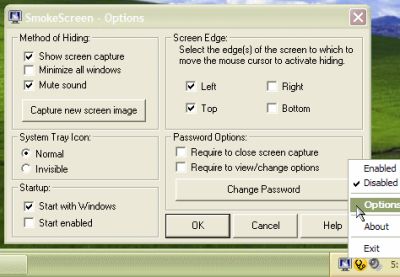
SmokeScreen screenshot:
 |
|
|
Product
Information
|
-
Version:
1.0
-
Price:
$14.95
-
Size:
0.41MB
-
License:
Shareware
-
Developer:
Harmony Hollow Software
-
OS:
Win95, 98, ME, NT 4.x, 2000, XP
-
Rating:

|
|
|
|