|
|
|
Main
> Business
& Finance > Database Management
> DBF Recovery |
 Nowadays,
computers often suffer from hacker attacks from the Internet, malicious
software and other threats. All of these may damage your files and cause a
loss of important data.How many times have you taken an oath to do regular
backups? But what a joke! It always appears that backups are not available
at the moments when you really need them. Nowadays,
computers often suffer from hacker attacks from the Internet, malicious
software and other threats. All of these may damage your files and cause a
loss of important data.How many times have you taken an oath to do regular
backups? But what a joke! It always appears that backups are not available
at the moments when you really need them.
If your DBF files have been damaged or corrupted, standard DBF readers won't
work.You will get an error message or see gibberish instead of your valuable
data. However, you may be in luck! DBF Recovery from HiBase Group can
restore your data. Unlike most of the competitors, DBF Recovery not only
fixes headers but also analyzes actual data structures and tries to fix them
too.
You don't need to have any skills in restoring DBF files to use this
program. It determines file formats automatically. The program recognizes
all of the formats used by popular DBF processing applications: Dbase
III/IV, Foxpro, Visual Foxpro and others. A completely automated recovery
engine uses its artificial intelligence to repair damaged files as
accurately as possible.
Fast and accurate restoration algorithms, small size and a very reasonable
price all make this DBF Recovery one of the best utilities of its class
available on the market today. DBF Recovery is a must-have utility in the
arsenal of a system administrator or even a simple database user that is not
familiar with data restoration technologies. |
|
Buy
Now |
Key
features of DBF Recovery:
-
A
completely automated dbf repair tool uses its artificial
intelligence to repair damaged DBF files as accurately as
possible.
-
Supports all DBF
file formats, including Clipper, Foxbase, FoxPro, Visual
Foxpro, dBASE III/IV, Visual dBase Level 7, etc.
Very large DBF file support (> 2 GB)
-
Repair multiple
DBF files at once.
-
Auto DBF file
format detection.
-
Recovery dbf
files with memo or binary data fields stored in DBT or FPT
files.
-
Repair dbf files
from windows explorer context menu
-
Works under
Windows 95/98/Me/NT/2000/XP/2003/Vista operating system.
-
Easy-to-use
interfaces: Intuitive user interface that requires no
technical knowledge.
-
Repair dbf files
from the command line.
-
DBF Recovery
does not require external drivers for connection to
databases (ODBC, BDE).
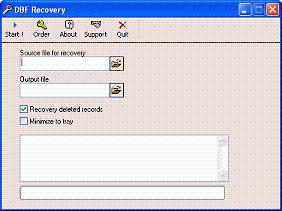
DBF Recovery screenshot:
|
|
|